Pilot Logbook Request an invite
By invitation · made by a line pilot · from first flight to retirement

The logbook that keeps up with the line.

Your schedule is already in it. Land, tap Log it, type OUT and IN, done. Night, instrument time and weather are filled in for you, and your whole logbook is yours to take, any time.

  • iPad, iPhone, Android, Mac and Windows
  • Works without signal
  • 99 logbook layouts to print
  • Your data, yours to take any time
  • Paper logbook pages read by AI
  • 436 badges to earn
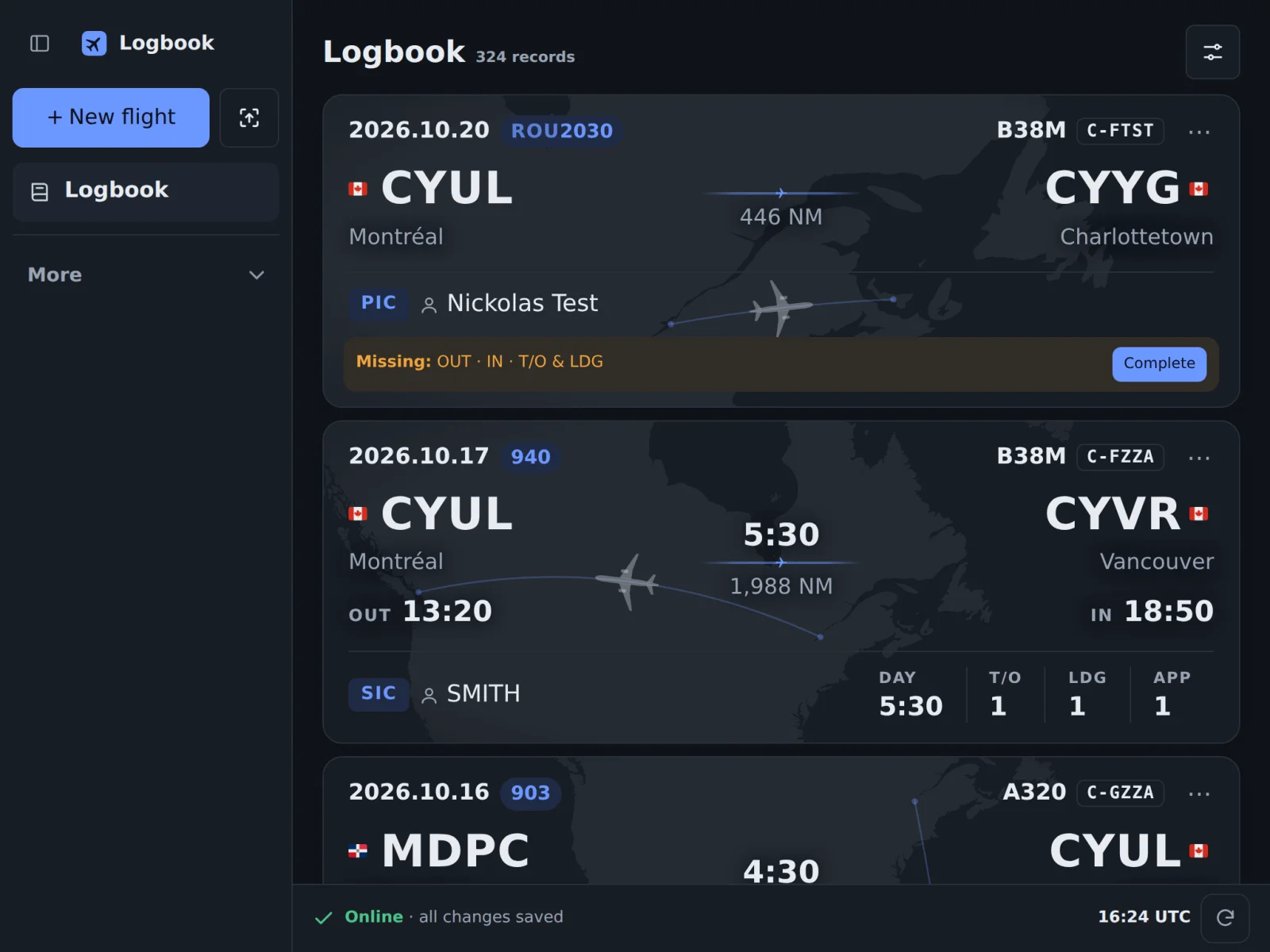
The logbook on an iPad: each flight on a card with its route on a map
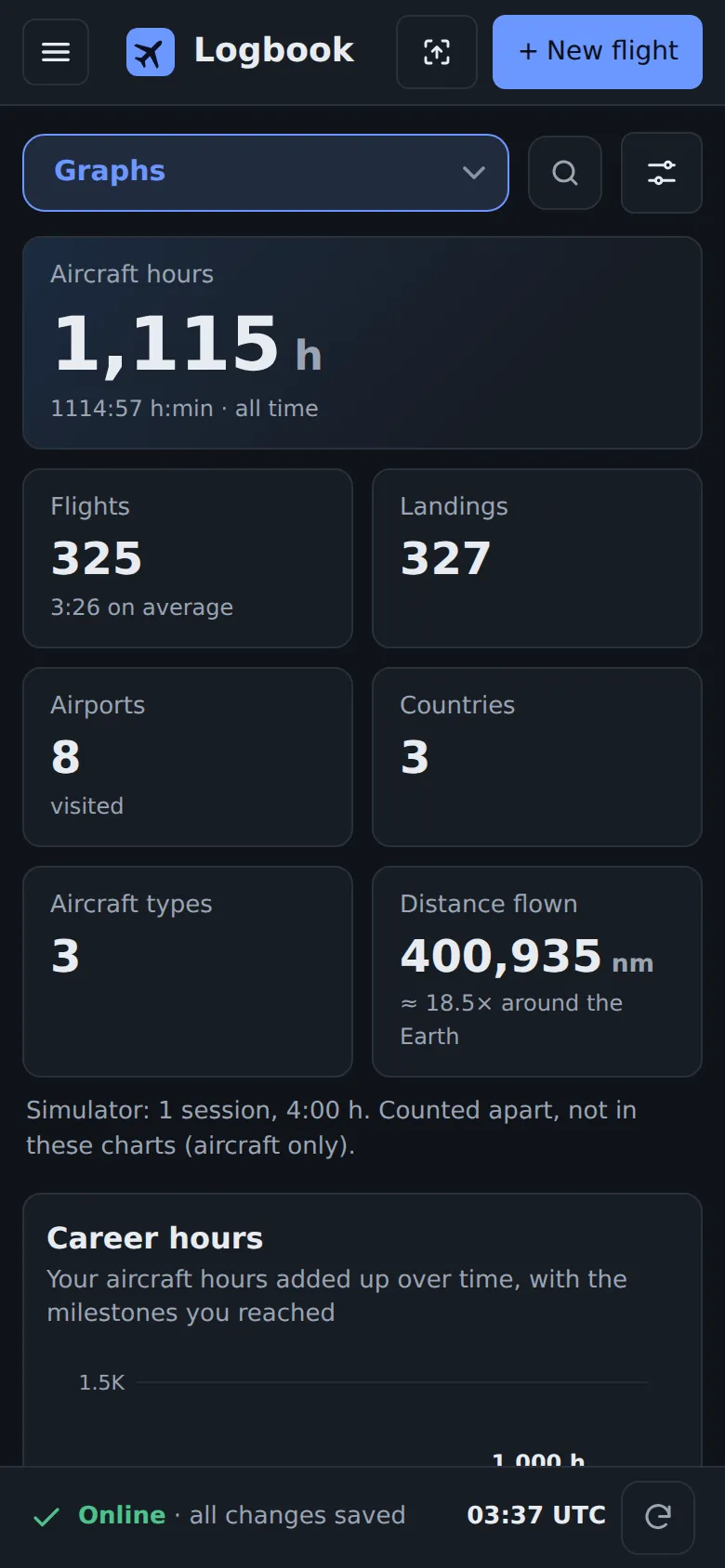
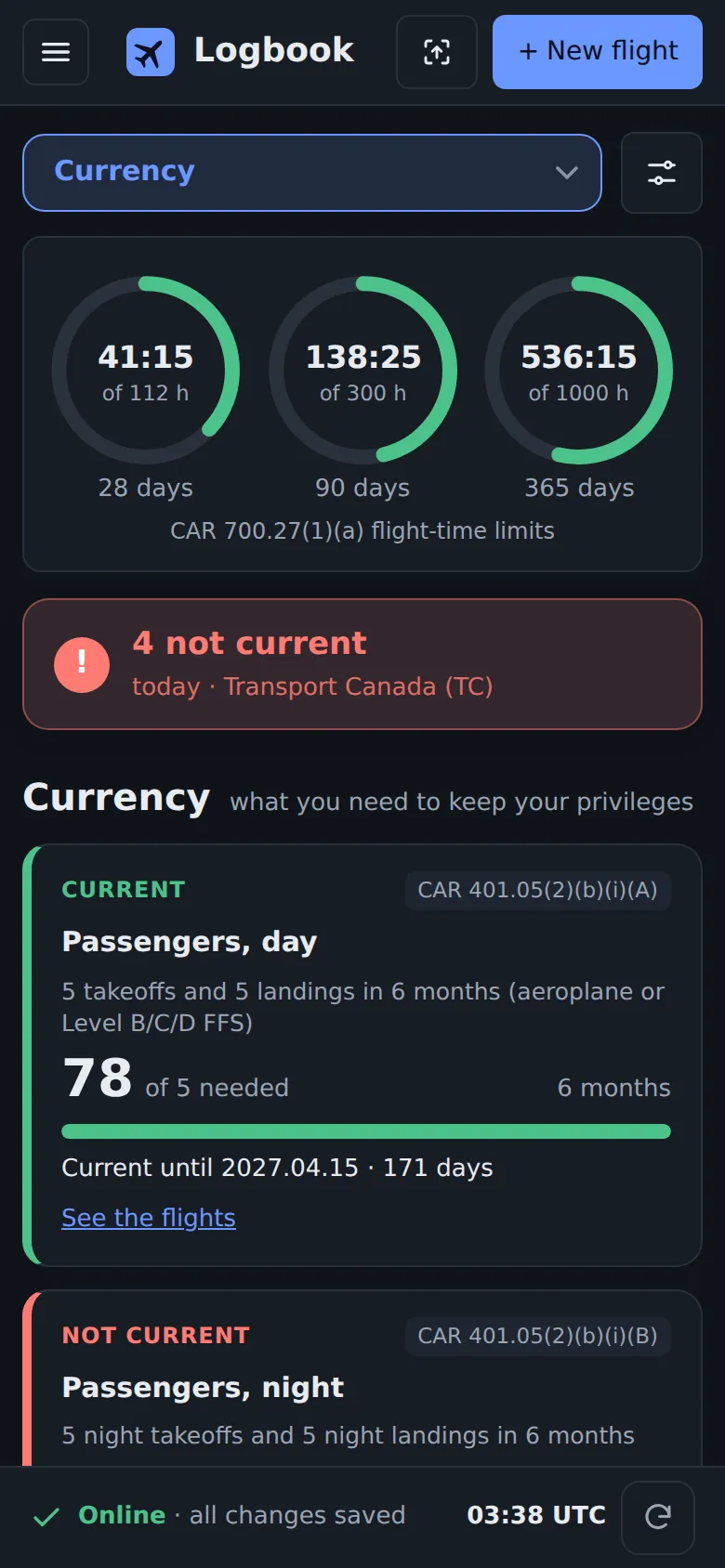
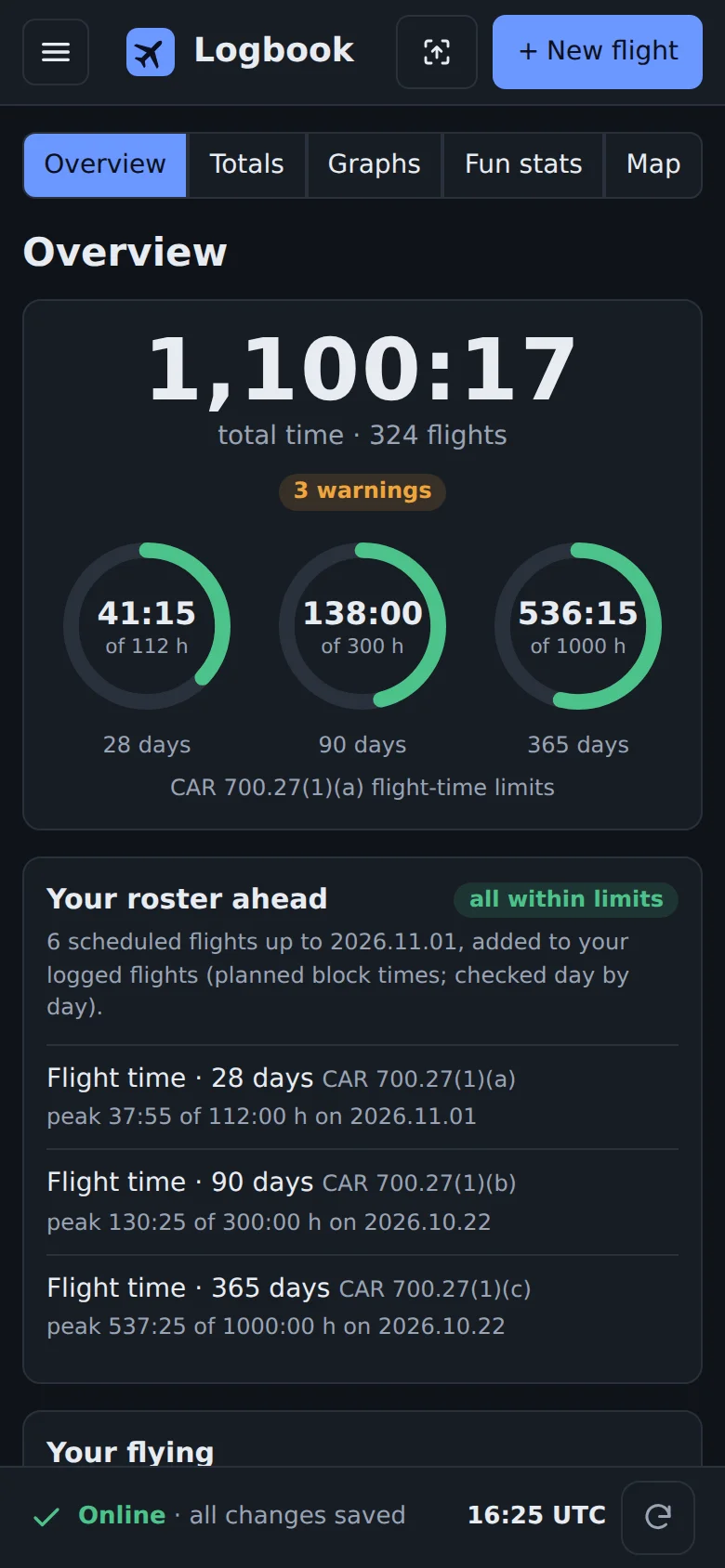
The overview on a phone: total time and flight-time limits
Invitation only · nobody signs up on their ownSeparate logbooks · nobody sees your flightsNo lock-in · leave any time with all of itTested · on phone, iPad and desktop

Built for the line

Everything you need after the last leg. Nothing you don't.

Every feature on this page is in use today and checked in a browser at phone, iPad and desktop sizes before it ships.

Finish a flight in seconds

The fields a flight still needs are outlined in orange, and Next missing takes you from one to the next. Type 1217, it becomes 12:17 and moves on.

  • Block, night and instrument time worked out
  • Weather (METAR and TAF) and ICAO flight numbers filled in for you
  • “I flew the takeoff”, “I flew the landing” or “The other pilot flew”
  • Nothing saves until you tap Save
OUT and IN outlined in orangeI flew the takeoff, I flew the landing, The other pilot flewMissing: OUT, IN, T/O and LDG, with Next missing

Log straight from your schedule

Import your roster once and every flight waits for you. After landing, tap Log it: date, route, flight number and aircraft are already there. You add the times.

Coming up: scheduled flights with Log it

Your OFP, read for you

Add the flight plan PDF to your logbook, or share it from your EFB to the Logbook app. The matching flight is found and filled, and the plan is kept with it: fuel, cruise level, runways, alternate, passengers and weights.

The OFP kept with a flight: schedule, distance, cruise level, runways, alternate, fuel, passengers, weights

Stats. Lots of them.

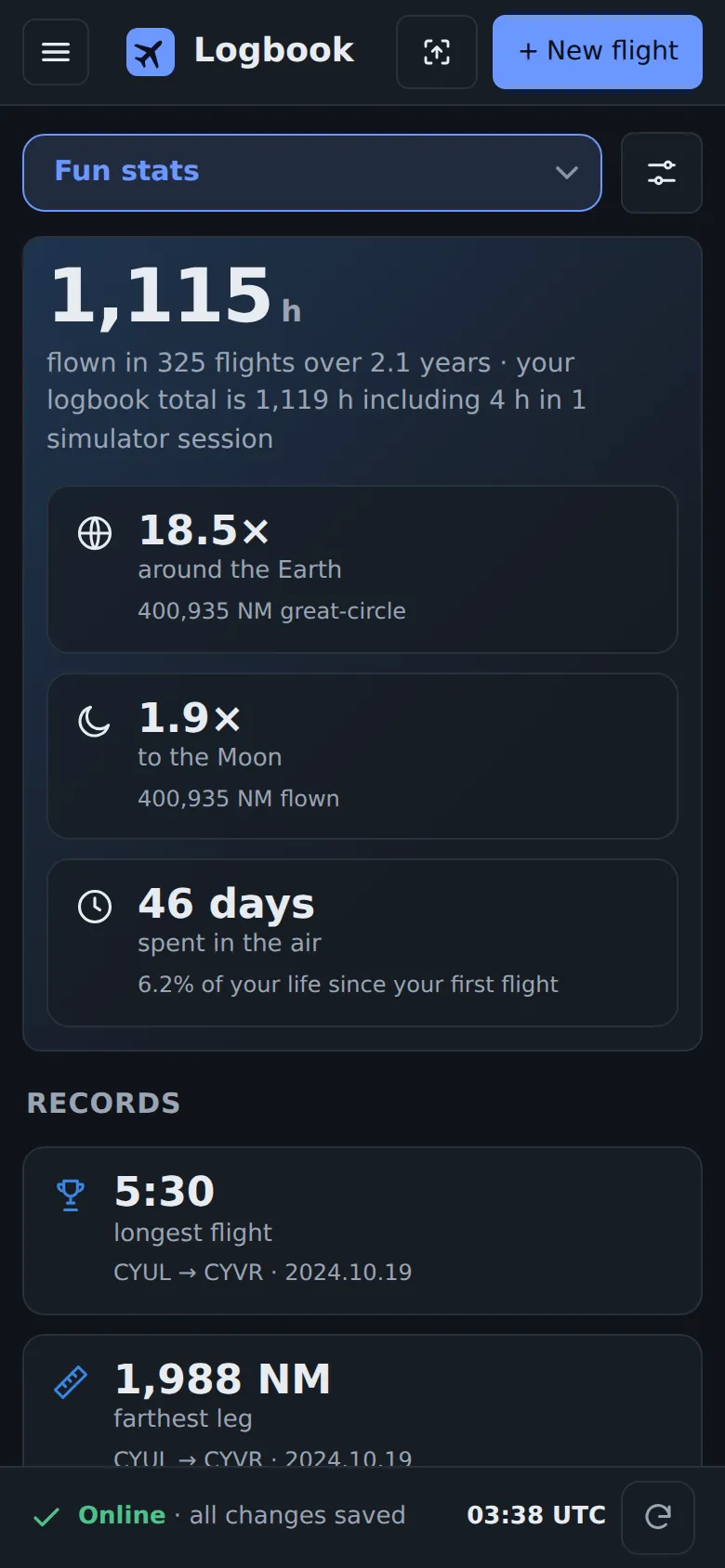
Times around the Earth and trips to the Moon, your longest flight and busiest month, red-eyes, time zones crossed, Christmases away, favourite crewmates and airports.

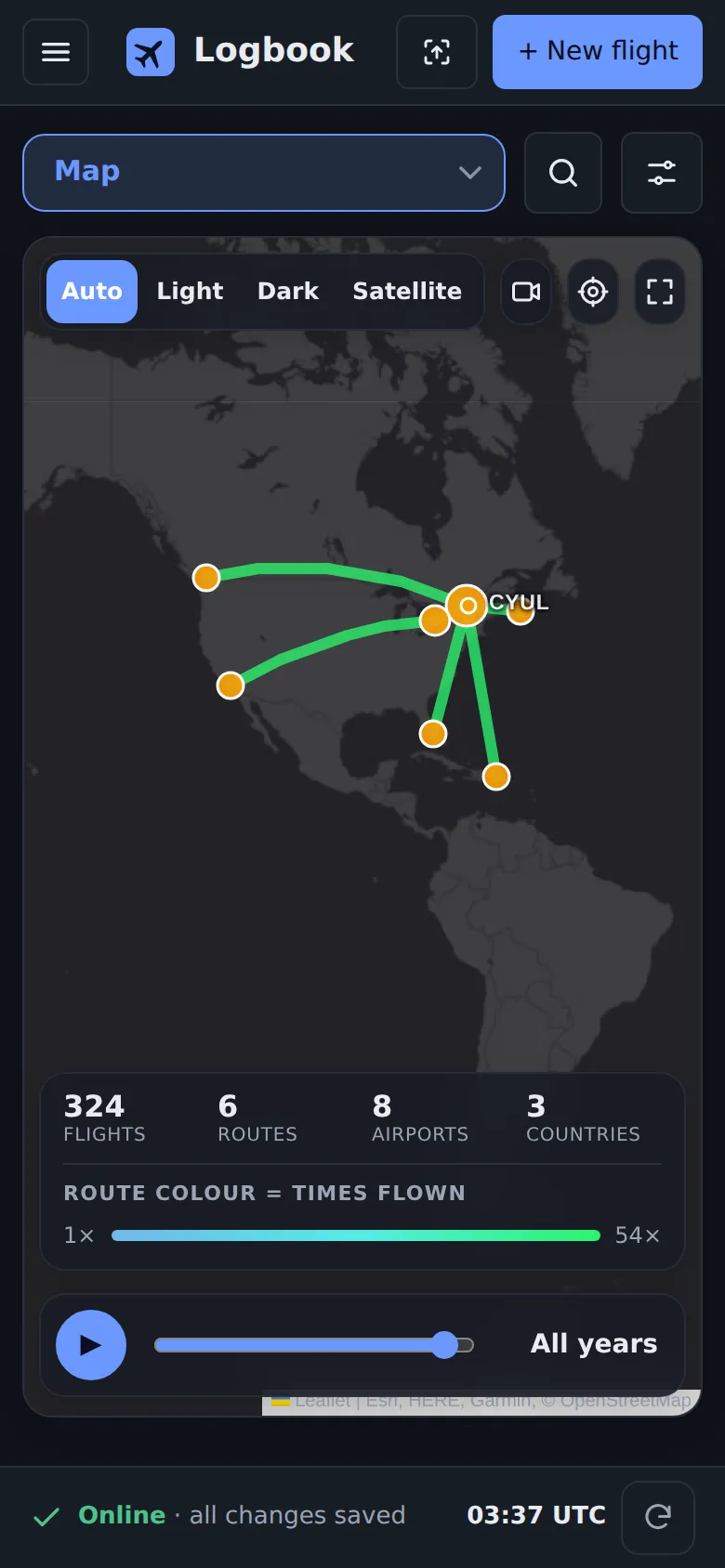
  • A map of every route you have flown
  • Charts of your career, by year, month, type and hour of the day
  • Worked out on your device, even offline
Total time, times around the Earth, trips to the Moon, days in the airRecords: longest flight, farthest leg, busiest year and month, longest streak

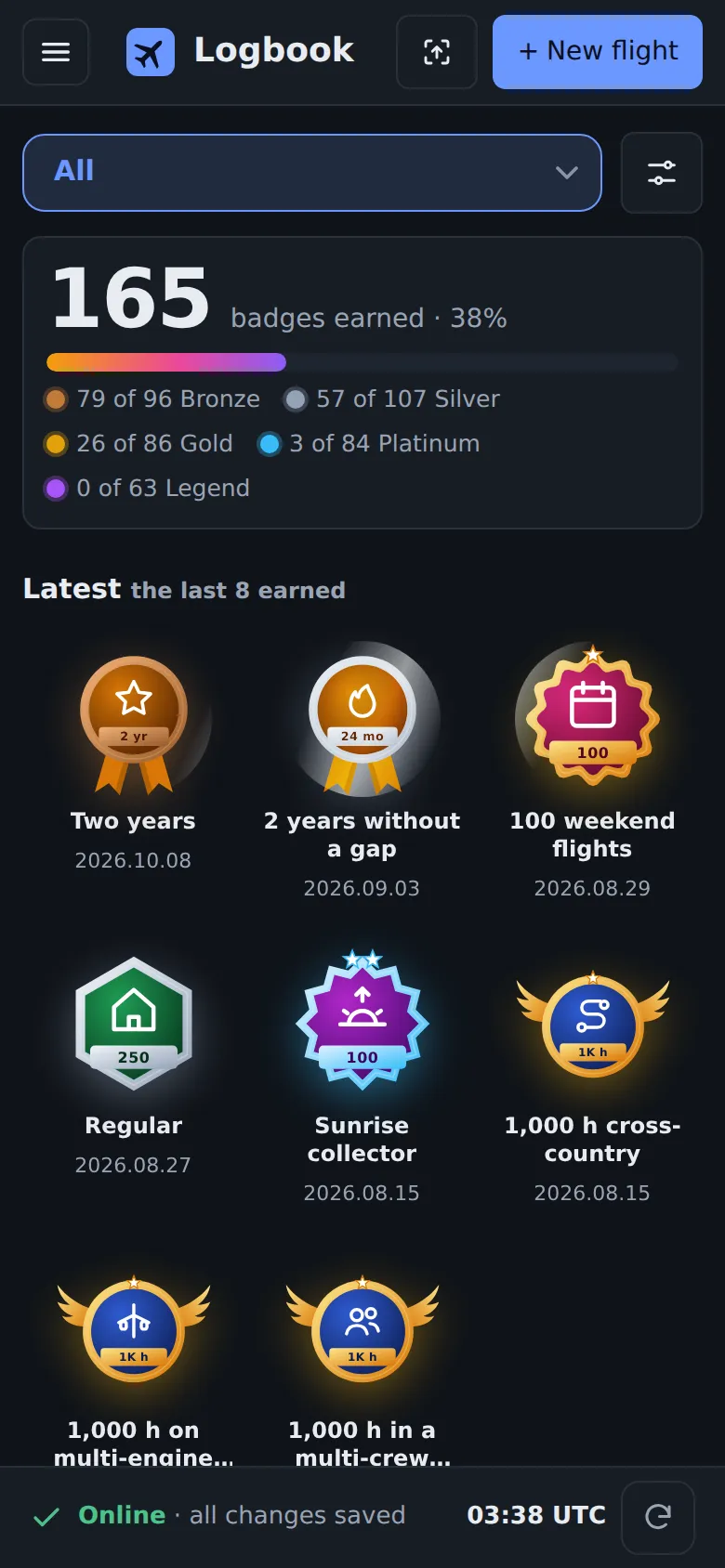
436 badges to earn, from first flight to retirement

Medals in bronze, silver, gold, platinum and legend, worked out from your own flights. Each one is earned on the flight that crossed the line, and celebrated when it happens.

  • Hours, landings, airports, countries and aircraft types
  • Around the world, to the Moon and back, the Arctic Circle, the date line
  • Christmas in the sky, red-eyes, sunrise from the flight deck, palindrome flight numbers
  • Years in the sky: one year, a decade, silver wings
A new badge celebrated: Christmas in the sky, earned on 25 DecemberFlight-time medals from First hour to the 1,000-hour club, with the date each was earned

Flight-time limits at a glance

28, 90 and 365 days against the Canadian limits, and your roster ahead checked day by day before you fly it.

Total time and the 28, 90 and 365-day flight-time limits

Totals your way

Pick the values and periods you care about and keep them as your own summary, next to totals by type, aircraft and year.

My summary of totals by period

Cards or the full table

Read a flight on its card, or work in the classic table with every column. Column names stay pinned as you scroll. Co-pilots by full name.

The logbook table with grouped column names

99 logbook layouts, ready to print

Your flights laid out exactly like the paper logbooks of 14 authorities: Transport Canada, FAA, EASA, UK CAA, CASA Australia, France, Switzerland, New Zealand, South Africa, UAE, Qatar, India, China and Hong Kong. Page totals and totals to date that add up to the minute.

  • Ideal for an airline interview, a licence application or a checkride
  • Made your way: date range, rows per page, decimal hours, your own headings and columns, your name, logo and signature
  • Print it, or save it as a PDF or Word file
An open pilot logbook printed in the FAA layout: flights on the left page, times and totals on the right

Works without signal

No connection on the ramp? Keep logging. Your flights are kept safe on the device, shown in orange until they are sent, and sent by themselves as soon as you are back online.

  • Your whole logbook, totals and stats on the device
  • Change or discard a waiting flight before it is sent
  • On iPad and iPhone, the app opens even in airplane mode
No signal: a flight logged on the device, waiting to be sent, and the bar saying it is kept on this device

In the app

See it in flight

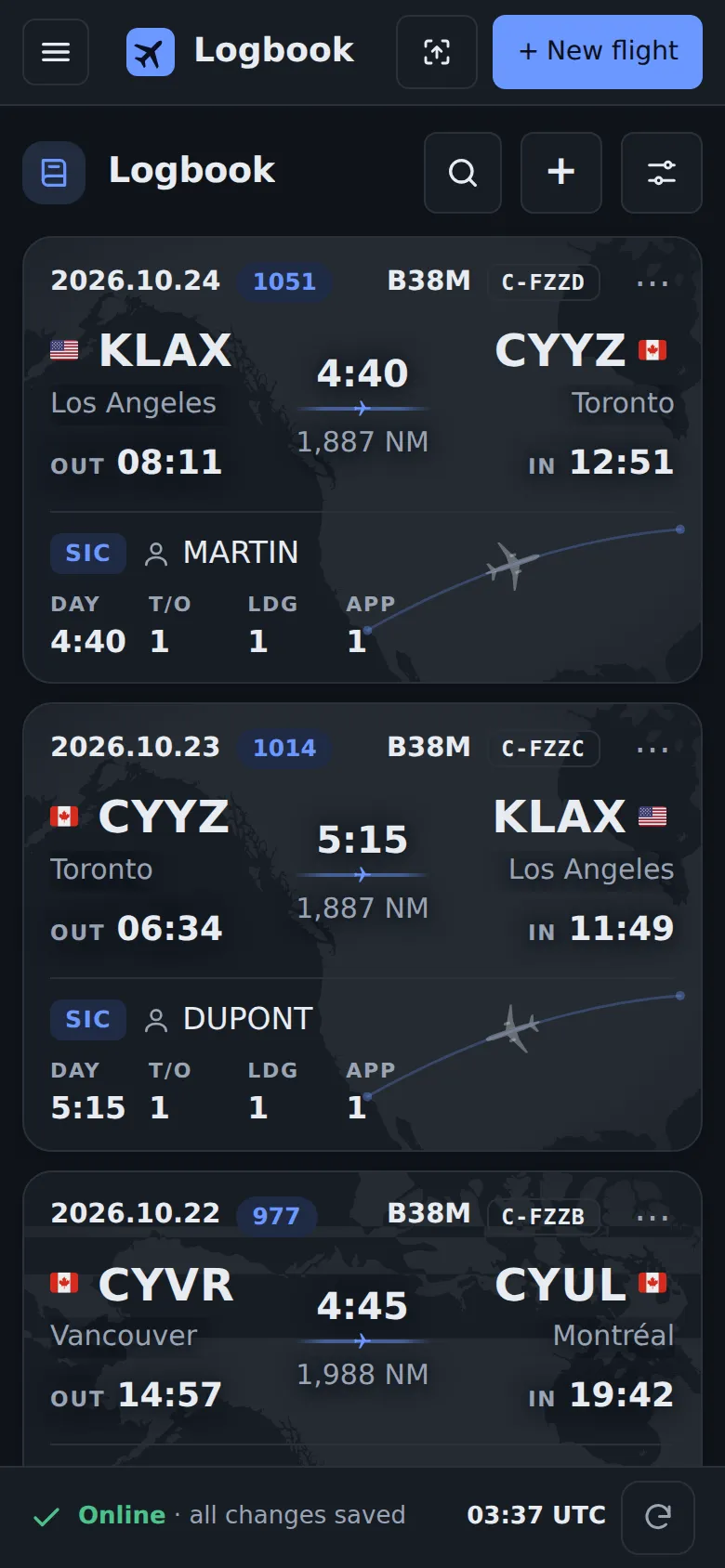
Every flight on a card: Your route on a map, crew, times and remarks at a glance.
All your flights on one map: Filter by airport, aircraft, company or who you flew with; replay your career year by year.
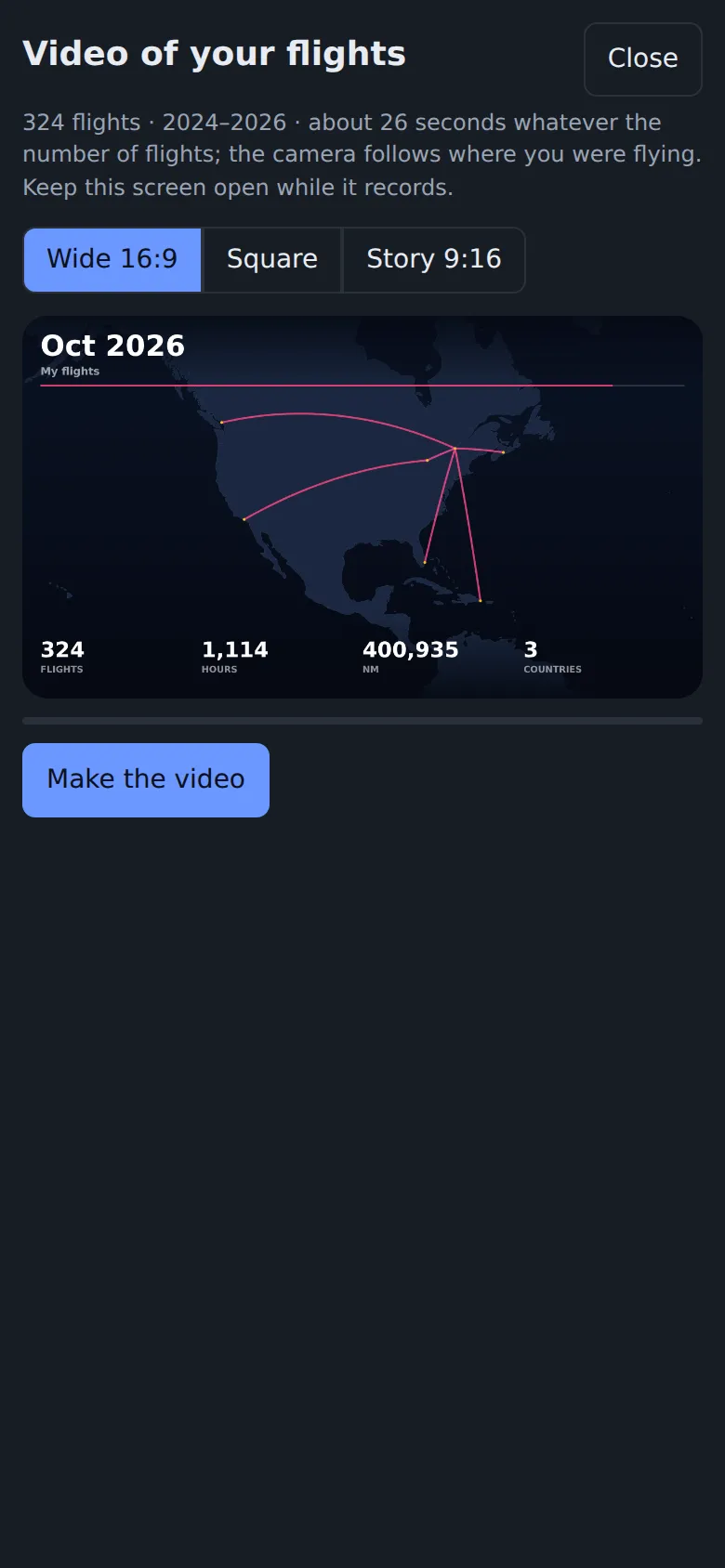
A video of your career: Every flight you ever flew, animated in under 30 seconds. Share it anywhere.
Fun stats about your flying: around the Earth, to the Moon, your records, the weather you flew in.
Graphs of your flying: Hours by month and year, aircraft types through the years, your flying clock.
Current, everywhere: Recency for 44 authorities, checked against your logbook every day.
436 badges to earn: Milestones of a whole career, from first solo to 20,000 hours.
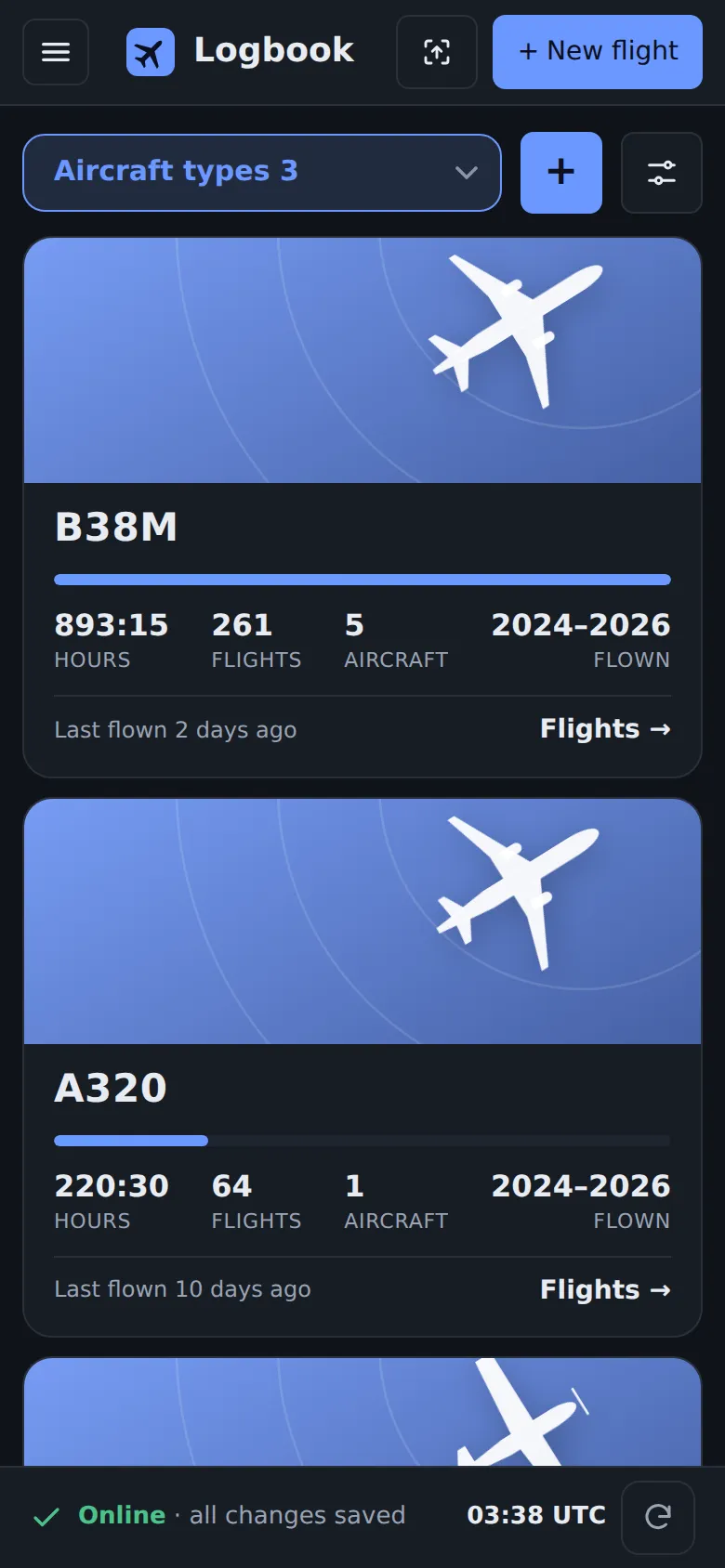
Your aircraft: Every type you flew, with its hours, flights and years.

Privacy by design

Your logbook is kept safe on our own server, so it is on every device you use and backed up every day. It is yours: no ads, no tracking, no analytics, never sold or shared with anyone.

  • No ads
  • No tracking
  • No analytics
  • Never sold or shared
  • Encrypted backups
  • Yours to take, any time

For every stage of your career

From your first flight to retirement.

  • New pilots

    Build your hours with totals that are always right: PIC, dual, cross-country, night and instrument, ready for every licence and rating.

  • Job applications

    Airlines ask for your hours by type, PIC and SIC, night and instrument, and a clean logbook. Print it in the regulator's layout, with totals that add up to the minute.

  • Line pilots

    Your roster becomes flights to log, your OFP fills them in, and your flight-time limits are checked before you fly.

How it works

From invitation to your first flight in a minute.

  1. 1

    Request an invite

    Leave your email below. Logbooks are by invitation, so every pilot here was asked in.

  2. 2

    Open your invitation

    You receive a link by email. Sign in with a one-time code sent to your email. No password to remember, none to steal.

  3. 3

    Log your flights

    Your own logbook, on every device you sign in on. Export it whenever you like.

Your data

Safe with us. Yours to take, any time.

A logbook lasts a whole career. Stay with us from your first lesson to your last line flight, and if one day you want to switch, you leave with all of it in a minute: no lock-in, no questions, no fee.

Moving in is easy

From another logbook app, a spreadsheet or an airline export. Still on paper? Photograph the pages: AI reads every line and checks it against the page total. You confirm before anything is saved, flights already there are skipped, and any import can be undone.

Import: choose your logbook file, CSV, tab text or Excel

Leave with everything

One tap downloads it all: every field as a spreadsheet, the classic logbook columns, the complete data, routes for Google Earth, and your photos and PDFs by flight. Open formats, readable anywhere.

Download everything, or every field as a spreadsheet

A logbook is personal. It stays private.

Each pilot has a separate logbook: nobody else can see your flights, not even the person who invited you.

  • Invitation only, sign-in with a one-time code sent to your email: no password to steal
  • A separate logbook and storage for each pilot
  • Encrypted connection, every time
  • Your photos, PDFs and every backup encrypted on the server (AES-256)
  • Every change to a flight kept in its history
  • Nothing deleted without your say, nightly copies of every logbook

Moving in

Bring your whole logbook in minutes.

Export from the app you use today, drop the file in, check your flights, done. Nothing is saved until you confirm, flights already there are skipped, and any import can be undone.

  • ForeFlight
  • LogTen
  • CrewLounge PILOTLOG / mccPILOTLOG
  • MyFlightbook
  • Safelog
  • Logbook Pro
  • APDL
  • Zululog
  • Excel
  • CSV and tab text
  • 1

    Export

    Step-by-step help for each app, right in the import page. Any other spreadsheet works too: the columns are recognised by their names and contents.

  • 2

    Check

    You see your flights exactly as they will be saved before anything is written. Flights already in your logbook are skipped.

  • 3

    Fly on

    Your hours, aircraft, crew and airports are all there from day one. Changed your mind? Undo the whole import in one tap.

Still on paper? Take a photo.

Photograph your paper logbook, a few pages at a time: AI reads every line, checks it against the page totals, and flags anything that doesn't add up (a time too short for the distance, an unknown airport or registration) for you to fix. Nothing is changed on its own. Early access: ask for it with your invite.

Security

Built like a flight deck: locked, checked, backed up.

Your logbook is a legal record of your career. Here is how it is protected, in plain words.

  • No password to steal

    Logbooks are by invitation. You sign in with a one-time code sent to your email, so there is no password to guess, reuse or leak.

  • Your logbook, and only yours

    Every pilot has a separate database and separate file storage. Before every update, automatic tests check that one pilot can never open another's logbook.

  • Encrypted on the way and at rest

    Every connection is encrypted. On the server, your photos, PDFs and every backup copy are encrypted with AES-256, and the key is kept apart from the data.

  • A server with no open door

    The server can't be reached directly from the internet: only through Cloudflare's encrypted tunnel. Security updates are installed automatically every night.

  • Very hard to lose

    Every logbook is copied every night, with a second copy kept apart. Every change keeps its history and can be undone, deleted flights go to a trash, and nothing is erased without your say.

  • No tracking, ever

    No ads, no analytics, no trackers. Your logbook is never sold or shared. The AI only sees the pages you choose to import, never your logbook.

Read the full security page →

Questions

Good to know

Who is it for?

Every pilot who wants a clear, fast logbook they own: student and new pilots building hours, pilots preparing an airline application, and line pilots. It was built by a line pilot for his own flying, then opened to others by invitation.

What if I want to leave one day?

You take everything with you in one tap: every flight and every field as a spreadsheet, the complete data, your routes, photos and PDFs. It works whether you stay one month or your whole career, and it never costs anything.

Why invitation only?

To keep it small, private and well looked after. Ask for an invite below; you'll hear back by email.

Which devices?

Any device with a modern browser: iPad, iPhone, Android, Mac and Windows. Your logbook is the same everywhere you sign in.

Can I print my logbook?

Yes, in 99 layouts of the paper logbooks of 14 authorities (Transport Canada, FAA, EASA, UK CAA, Australia, France, Switzerland and more), with page totals and totals to date. Choose the dates, rows per page, decimal hours, headings and columns, add your name, logo and signature, then print or save as PDF. Ideal for an airline interview.

Does it work without a connection?

Yes. Log flights with no signal: they are kept on your device and sent as soon as you are back online.

Can I take my logbook with me?

Always. One tap downloads everything: every field as a spreadsheet (Excel, Numbers, Google Sheets), the classic logbook columns, the complete data, your routes and your photos and PDFs.

Can I bring my current logbook?

Yes: from another logbook app (Safelog, LogTen, ForeFlight and others), a spreadsheet or an airline export, or photos of your paper logbook, read by AI. You check everything before it is saved, and an import can be undone.

Who can see my flights?

Only you. Each pilot has a separate logbook, and the person who invited you can't open it either.

Join

Request an invite

Leave your email and a word about your flying. If there's room, you'll receive your invitation by email.

Already invited? Sign in to your logbook →